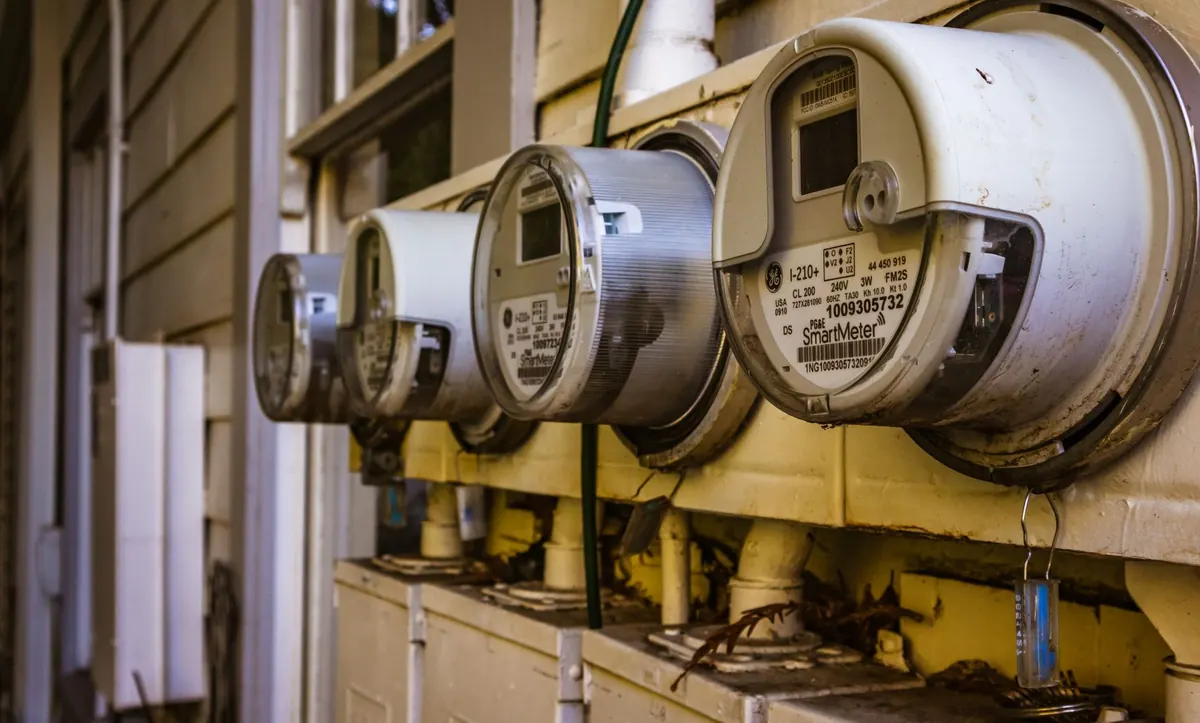
A smart meter is only useful if you actually look at it. Many sit on a windowsill or in a kitchen drawer, flashing numbers nobody reads. Yet the quiet hours between midnight and seven in the morning are where a fair amount of household energy quietly disappears: a hot water cylinder heating at 3am, a chest freezer humming in the garage, a games console that never really sleeps. Reading your in-home display, or the app that goes with it, takes about five minutes. Doing it each morning turns guesswork into a pattern you can act on.
What you need in front of you
Your smart meter sends readings to your supplier, but you have two ways to see them yourself. The first is the in-home display (IHD) — the small screen supplied with the meter. It shows what you are using right now, usually in kilowatts, plus a running cost per hour and a total for the day. The second is your supplier's app or online account, which holds the history: half-hourly, daily and weekly views that the display often cannot show.
The display is best for spotting something happening at this moment. The app is best for looking back. If your display stopped working after you switched supplier, it is worth a call — suppliers can often reconnect it remotely, and there is no charge for asking.
Take two readings, night and morning
The simplest overnight test does not need an app at all. It needs a note of the meter's total reading, in kilowatt hours, at two points.
- Before you go to bed, find the import register on your meter or display and write down the kWh figure. Photograph it if that is easier.
- In the morning, before kettles and showers start, write down the figure again.
- Subtract the first from the second. That difference is what your home used overnight.
Ignore the pound figure for this exercise. Standing charges, tariff changes and time-of-use rates make money harder to compare day to day, while kilowatt hours are a clean, consistent measure.
Read the night in half-hours, not one lump
A single overnight total tells you something happened; the half-hourly chart in your app tells you when. Smart meters in Great Britain record usage in half-hourly intervals, and most supplier apps display that as a bar chart you can scroll through.
Look for the shape of the night. A gentle, repeating hum is normal — that is your fridge and freezer cycling on and off. A step that starts at 2am and stays flat until 6am is a heater, an immersion element or a charging car. A short, sharp spike at 4am might be a hot water cylinder topping up. Once you know the shape, a change is easy to spot.
Some apps also show an "always on" or baseline figure. It is a rough measure of everything that stays switched on around the clock: router, alarm clock, set-top boxes, standby lights. It is worth knowing your number, because it is the floor your bills sit on.
Work out what is normal for your home
There is no universal figure. A one-bedroom flat with a modern fridge and no outside space will have a very different overnight profile from a four-bedroom house with a garage freezer, a pond pump and an electric vehicle. Compare your home with itself rather than with anyone else's.
Keep a note for seven mornings. Write down the overnight kWh and one word about what ran — "car charged", "no heating", "dryer on timer". Within a week you will have a baseline, and the odd night will stand out immediately.
The usual overnight suspects
- Hot water and immersion heaters. Often set to come on in the early hours and left on far longer than needed.
- Electric heaters. Timers that switch on at 4am to take the chill off, or a heater left running in a spare room.
- Delayed appliances. Washing machines, tumble dryers and dishwashers set to run overnight. Useful on a cheap tariff, expensive if the delay was set months ago and forgotten.
- Electric vehicle charging. A big, obvious block on the chart — and a good thing to move into a cheap window if you have one.
- Old fridges and freezers. A second fridge in the garage or an ageing chest freezer often draws far more than the kitchen one.
- Dehumidifiers and electric towel rails. Small individually, noticeable over eight hours.
- Outdoor kit. Garden lights, pond pumps, security cameras and heaters in sheds or greenhouses.
- Standby load. Consoles, soundbars and older set-top boxes that draw power when they look switched off.
Not everything on that list is waste. A freezer has to run, and a dehumidifier may be doing a genuine job. The point is to know what you are paying for.
Make the app do more of the work
Most supplier apps let you set a daily or weekly target and send a notification when you go past it. Turn that on — it means you do not have to remember to check.
If you are on a time-of-use tariff, such as Economy 7 or one of the smart tariffs with a cheaper overnight window, timing matters as much as volume. Run the dishwasher, charge the car and heat the water inside the cheap hours, and the same energy costs less. Check the exact window on your tariff documents rather than assuming it starts at midnight, because not all of them do.
If the numbers do not add up
If your overnight usage looks far higher than your appliances can explain, ask your supplier to check the meter and your readings. If a bill feels wrong, or you are worried about paying, contact your supplier directly — they have to offer a payment plan — or speak to a free, independent advice service such as Citizens Advice.
A five-minute morning routine
Glance at the display when you make your first cup of tea. Check the overnight figure against yesterday's. If it is higher, open the app and look at the half-hourly chart before you forget. Write the number and one line of explanation in a notebook or phone note, then get on with your day.
Do that for a fortnight and you will know your home's overnight habits better than any estimate on a bill. The reward is rarely dramatic — a timer adjusted, a dryer moved to a cheaper hour, a standby plug switched off at the wall — but those small corrections repeat every single night, and that is where the savings quietly add up.
Photo: Robert So / Pexels